
1 Answers
-
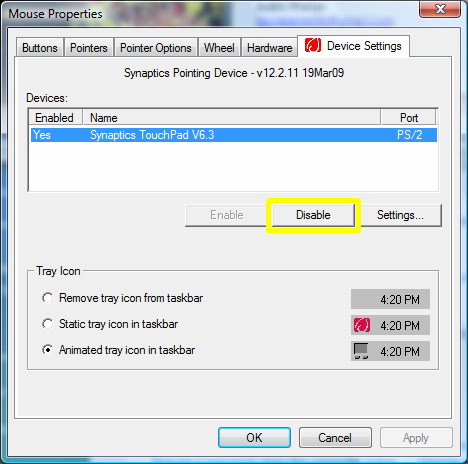
Start >> Control Panel >> Hardware and Sound >> 'Devices and Printers', এর নিচে Mouse এ ক্লিক করুন (Vista'র ক্ষেত্রে, Start >> Control Panel >> Hardware and Sound >> Mouse) Mouse Properties window ওপেন হবে; এখানে ল্যাপটপের টাচপ্যাড ডিজেবল করার একটি ট্যাব পাবেন। সেটি Disable করে দিন। তাহলে টাচপ্যাড আর কাজ করবেনা, পরে একই স্থান থেকে Enable করে নিবেন।
2977 views
Answered
Related Questions
Next steps
- Find a doctor for in-person or online consultation
- Browse medical tests patients often ask about
- Check medicine information (uses, dosage, brands in Bangladesh)
- More health Q&A on Bissoy